Free

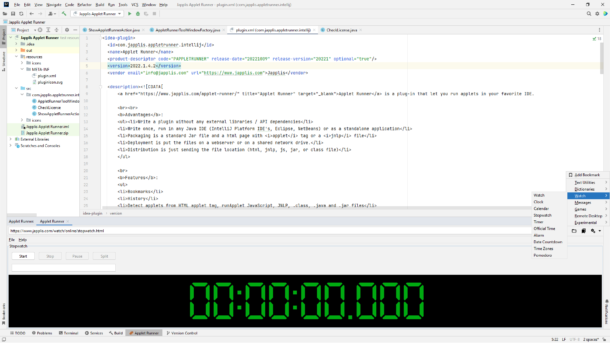
Applet Runner 1.4 released

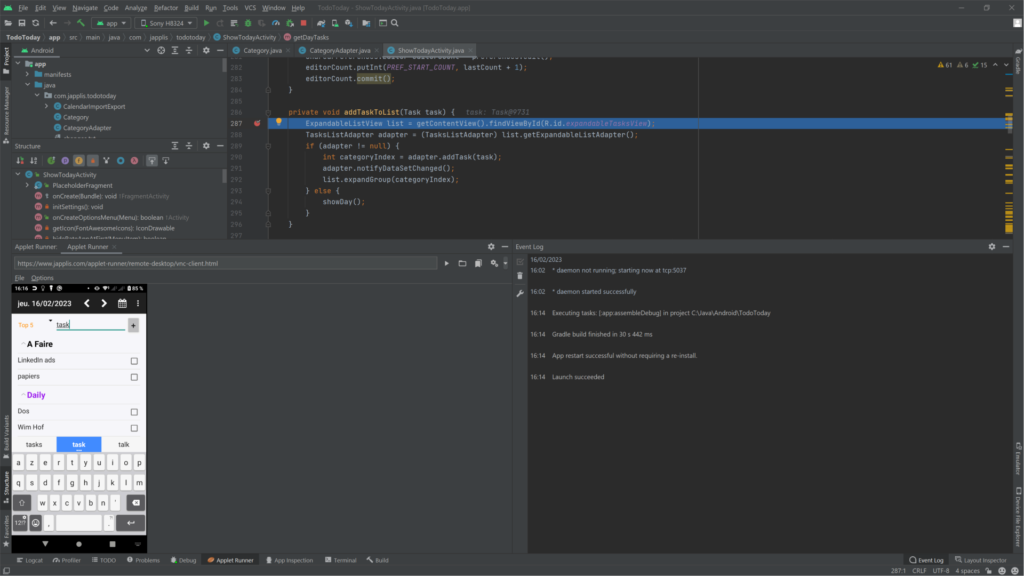
Applet Runner 1.4 demo

What’s new

  • Fixed possible NPE in IntelliJ IDEA 2023 CE
  • Catch Throwable for applet methods instead of Exception
  • Improved start-up description
  • Showing bookmarks doesn’t log warnings anymore
  • Added possible AppletRunnerNoParent applet parameter to define no parent class loader
  • Added possible AppletRunnerParentFirst applet parameter to define parent class loader as used first
  • Drop down menus shows above the buttons

Applet Runner Pro :

  • If applet is started remember location after restart
  • When adding a new panel, the location isn’t mandatory anymore
  • Set a title to the window when starting an applet in a window
  • Do not exit the application when closing an applet window
  • Save window location/size based on applet location (when specified)
  • Use preferred width and height set in applet html/jnlp at first start when opening in window
  • Put applet name in the window name

Applet Runner 1.3 released

I’m please to announce the release of Applet Runner 1.3. Applet Runner is a free IDE plug-in (Eclipse, IntelliJ IDEA/JetBrains, NetBeans) that lets you run Java applications embedded in the IDE.

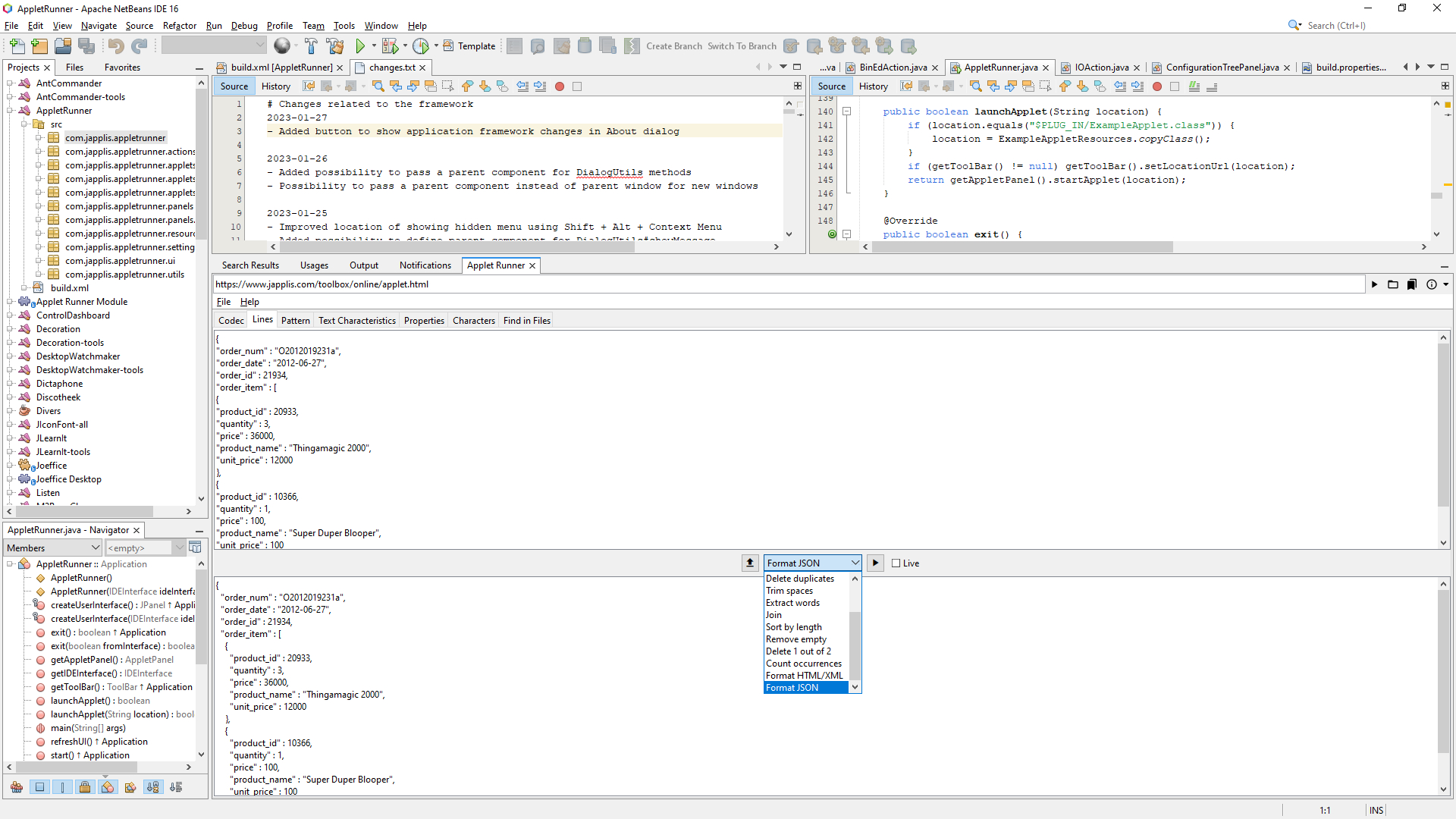
Applet Runner running in NetBeans with Japplis Toolbox applet

What’s new:

  • Applet.stop() is called when the applet is closed
  • If you buy Applet Runner Pro, you will be able to fill in the license key in Applet Runner for NetBeans and Eclipse
  • Better codebase detection if the URL class location contains ‘/com/’ or ‘/org/’
  • Many improvements in the application framework (about 150)
    • Fixed license agreement window not appearing on top of other windows
    • Translate Ctrl, Shift, Alt to the correct keyboard sign for Mac OS X
    • Added SettingPanel#getLabel that can also handle tooltips
    • If Flat IntelliJ look and feel is selected -> unlock the possibility to provide an IntelliJ Theme
    • Improved quality of taking a screenshot of a component
    • Improved creating square buttons for IconFontSwing#decorateButton
    • Catch possible error when getting the clipboard data flavor
    • Fixed start-up error if FlatLaf not in classpath
    • Added possibility to skip entering the license key the first day of the installation
    • Added scroll bar if the setting panel doesn’t fit in the window

Note that Applet Runner Pro 1.3 has also been released. Applet Runner Pro allows to have multiple applets running at the same time and is available as standalone application for Windows, Mac OS & Linux.

Always On Top Text – Post On Screen 1.0 Beta Released

I’m pleased to announce the release of Post On Screen 1.0 beta.

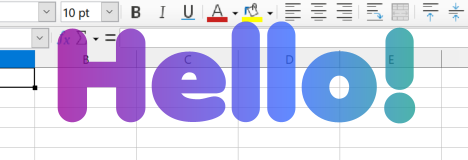
Post On Screen showing text above a spreadsheet

Post On Screen will show a text on top of all other windows.

You can choose

  • Your text (of course)
  • The font
  • The colors (unique or gradient)
  • Animated gradient speed (0 for static)
  • Text transparency
  • Text size (Font size will adapt to the text window size)
  • Position

Post On Screen is freeware and works on Window, Mac OS X and Linux. You can download it at https://www.japplis.com/post-on-screen/

Ant Commander Pro 4.0 beta released

The first public available of Ant Commander Pro 4.0 file manager has been released. You can download it for free at https://www.antcommander.com.

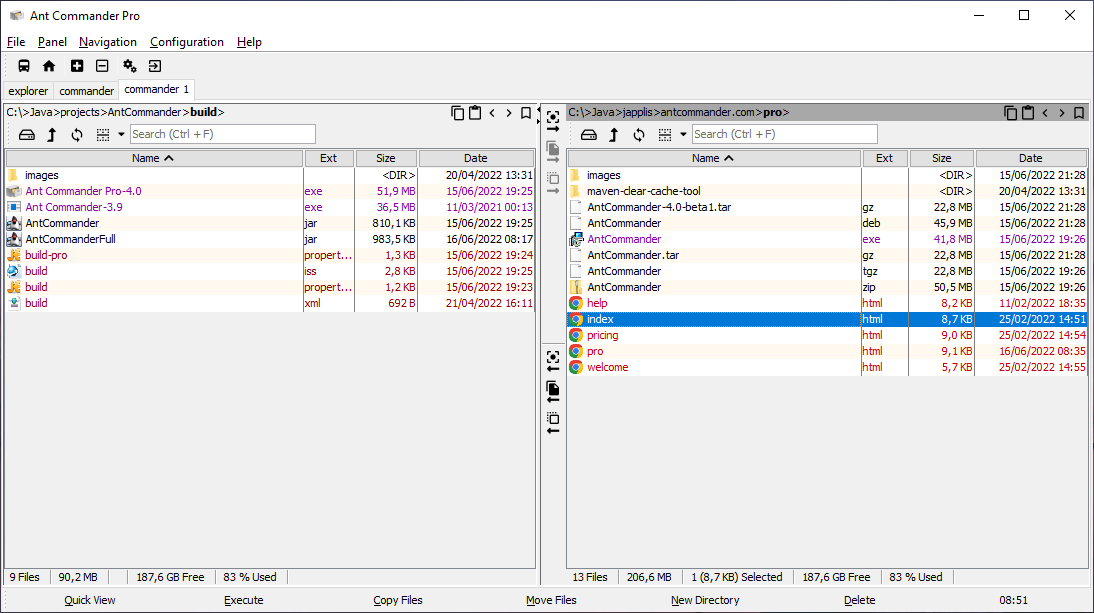
Ant Commander Pro file manager screenshot
Ant Commander Pro Dual table

The main advantages compared to a standard file manager:

  • Smart incremental search (e.g. */ & .java & <5days & > 10 kb & ![junit])
  • Basic Git support
  • Detect (and ask) file conflicts before file operation (like copy/move)
  • Support local file, zip, jar, tar, gz, bzip2, ftp, ftps, sftp, webdav, ram, lst, http(s)
  • Multiple split panels in each tabs
  • Panels: Terminal, SSH, Text editor with syntax highlight
  • > 40 skins
  • Runs always on top, translucent, on Windows, Mac OS X, Linux, embedded in IntelliJ IDEA, Android Studio, Eclipse, NetBeans